Blog
Basic Debian installation and configuration
Add handy aliases
Add the following at the end of bash.bashrc:
$ vi /etc/bash.bashrc
...
alias ll='ls -l'
alias pg='ps -ef|grep'
alias vi='vim'
The last alias “vi” is to use vim instead of vi. vim is the more luxury editor ;-).
To install vim, enter the following command:
$ apt-get …Installing Debian on the SheevaPlug
The next step in this SheevaPlug guide is installing Debian on the SheevaPlug. Default on the SheevaPlug, Ubuntu 9.04 is provided. Ubuntu 9.04 will not be supported for a very long time any more and a Ubuntu 9.10 or higher is not available. That is why I want to install Debian on the Kingston 4GB …
Building the system with the eSATA SheevaPlug
The architectural setup
The following list I want to connect to my eSATA SheevaPlug:
- Flashdisk 4 GB SDHC class 4 (for the Debian root filesystem)
- Eexternal USB or eSATA hard-disk 2GB or 4GB (for datastorage and variable data)
- Network cable (supplied in kit)
- miniUSB cable for serial access to the …
How to copy and paste in PuTTY under Ubuntu?
The behaviour of copy and past in PuTTY is different than in Ubuntu. With PuTTY under Windows I never had a problem how to copy and paste, but under Ubuntu I am always confused. That is why I wanted to write it down. For me, but also for you of course.
Coping from PuTTY
Select the text with the left …
The eSata SheevaPlug
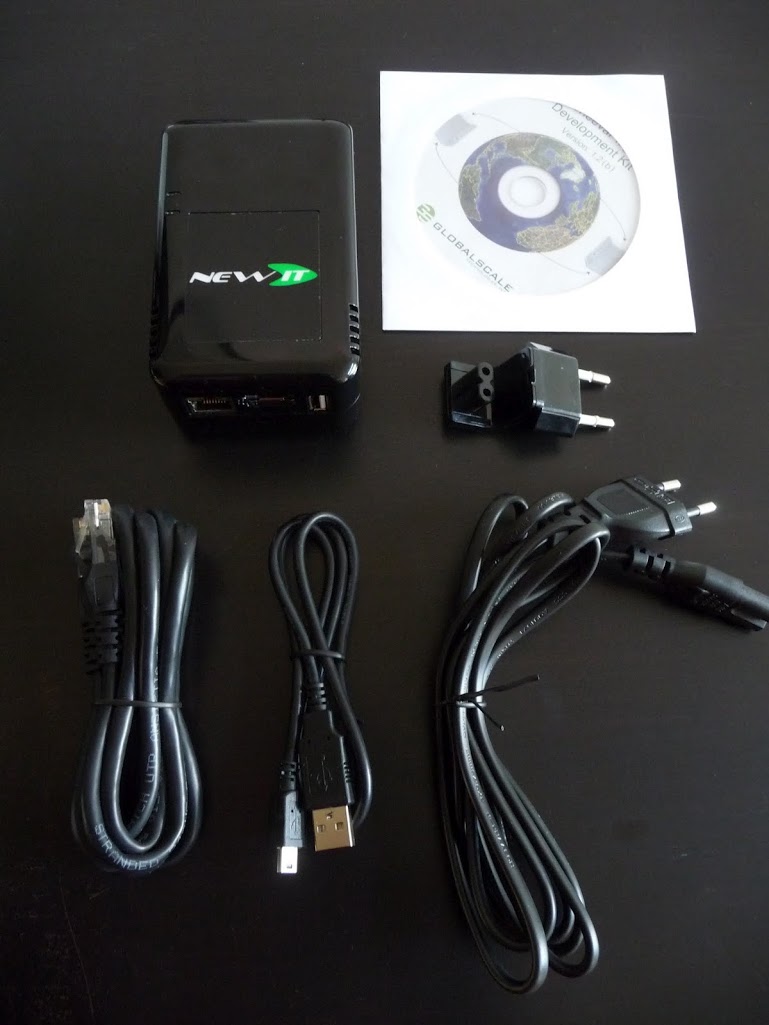
I ordered the eSata SheevaPlug at New IT in the UK and received it 4 days later in the Netherlands.
Here are some photos of the SheevaPlug, the box with all contents.
And that, I was curious about the build quality of my SheevaPlug. Therefore I needed to break the warranty seal.
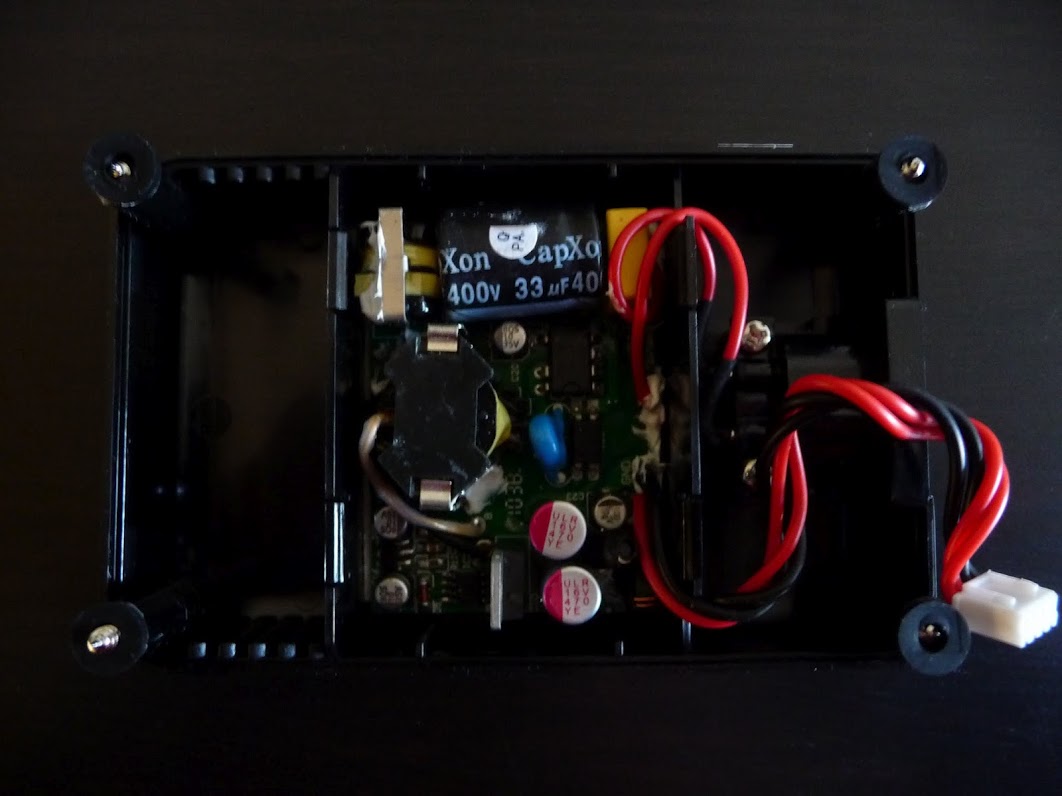
I was surprised …
Finding a replacement for the Linksys NSLU2
Update 3-4-2012:
The solution that I would choose this moment is the CuBox, it is not available in every country yet. If it is available, it will be added to the list.
I am using the Linksys NSLU2 with SlugOS installed. See my posts in Dutch about the NSLU2 /tag/nslu2/.
The pros of the NSLU …
Add Tab to Search through your Wordpress site with Chrome
Did you ever see in Google Chrome or Chromium the term “Press Tab to search” behind a site URL when typing in an URL? This is very handy to search this site with Google, but is it possible to make this in your own site? The answer is Yes, and it is easy to do this. This article is made …
Show/display/write code in WordPress posts or pages
Code Highlight
Werkt goed, heeft syntax highlighting, maar werkt niet met <pre> of <code>, maar met <cc>, dit is later wel op te lossen met een search en replace, maar zonder
Switch over from Drupal to your new WordPress installation
This article is the last part of the migration/conversion/import of Drupal to Wordpress. In this article we are going to switch to the new Wordpress installation.
Before we are able to switch over to the new Wordpress installation, we need to do the following steps. The tools you need depends on …